
Copilot in Dynamics 365 Customer Service: What's New and What It Means for Your Queue
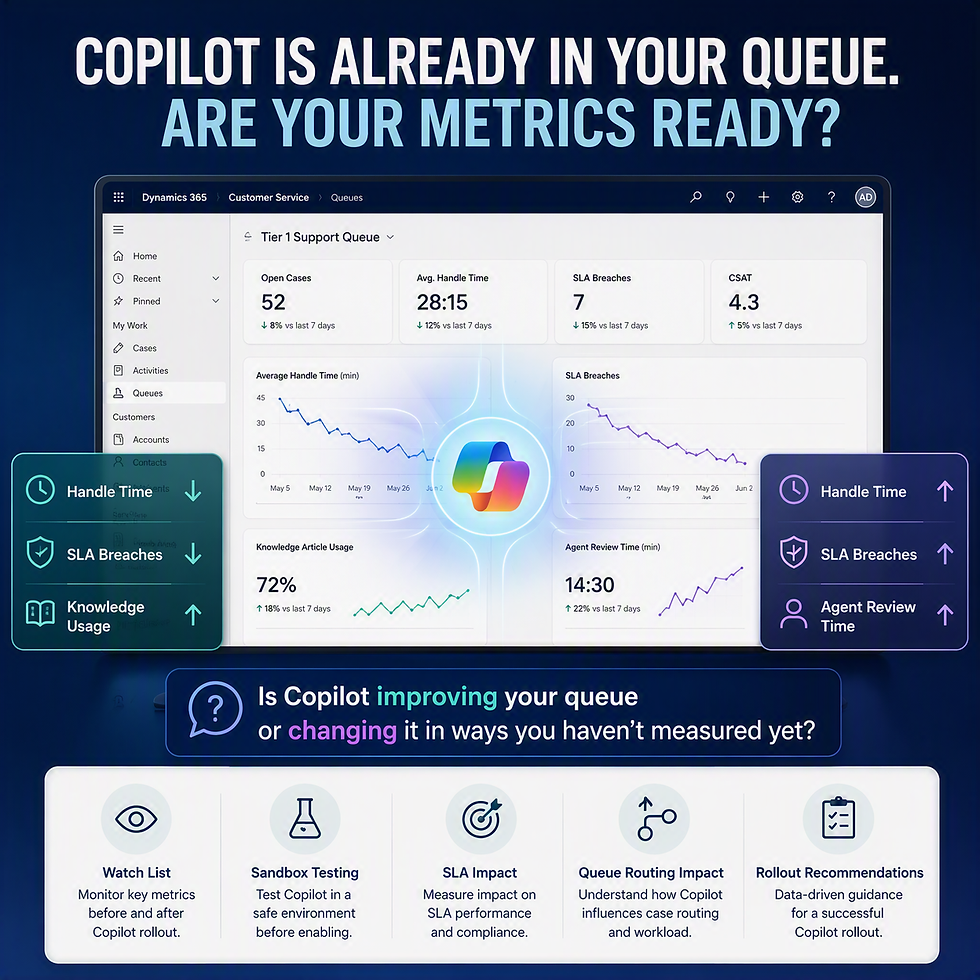
Copilot in Dynamics 365 Customer Service has moved past the demo stage. Case summarization, suggested responses, and knowledge search are showing up in more environments by default, which means the question for most Customer Service Managers isn't "should we try Copilot" anymore. It's "what is it already doing to our queue."
What you will find in this article:
What Changed
Recent updates expand Copilot's presence directly inside the case form: automatic case summaries, response suggestions drawn from your knowledge base, and search that spans records an agent might not have thought to check. Individually, each feature is a modest convenience. Together, they change how an agent moves through a case, which means they also change how long a case takes, and how consistent that time is across your team.
Why It Matters
A feature that saves an experienced agent thirty seconds might cost a newer agent two minutes, if it surfaces a suggestion they don't yet have the judgment to evaluate. That's not a flaw in Copilot. It's a training and rollout question your team has to answer, and it's exactly the kind of thing that doesn't show up in a feature announcement.
The other real effect is on SLA timers and queue routing. If Copilot changes average handle time, even slightly, it can shift how your existing SLA thresholds and escalation rules behave, without anyone touching their configuration.
Watch List - Five signals worth tracking before and after a Copilot rollout
Whether Copilot suggestions are enabled by default for all agents or only specific security roles
How average handle time shifts in the weeks after enabling a new capability
Whether knowledge article suggestions are pulling from clean, current content, or from an inconsistent knowledge base
Any change in SLA breach frequency that coincides with a Copilot rollout
Agent feedback on suggestion accuracy, especially in specialized queues
Sandbox Testing Checklist
Enable new Copilot capabilities in sandbox for a single test queue before touching production routing
Run a sample of real, anonymized case types through Copilot's summarization and suggested responses, and compare the output against how an experienced agent would have handled the same case
Confirm SLA timers and routing rules still behave as expected once Copilot-influenced handle times are factored in
Practical Recommendation
Roll out new Copilot capabilities to a single queue first, not the whole team at once. Track handle time and SLA performance for two to three weeks before expanding. And review your knowledge base before you lean on Copilot's suggestions from it, since the tool is only as good as what it's drawing from.
Related Reading
This connects to two related pieces worth reading next: "The SLA and Queue Routing Problem Most Teams Don't Notice Until Tickets Pile Up" and "Copilot Studio Governance: What IT Directors Need to Decide Before Rollout," if your team is expanding Copilot use beyond this queue.
When to Seek Support
If your team is weighing which Copilot capabilities to turn on first, or you've already enabled something and aren't sure whether the change in your metrics is Copilot or coincidence, that's a conversation worth having before you scale it further. We help Customer Service teams work through exactly that assessment.
